Hello world,
my name is Jamie Taylor and this is my site, thanks for checking it out. This site will be both a place to check out my work, get in touch with me about work, and a resource for the community that I love so much. As I’m sure you’ve figured out the name Htmyell, came from the web design markup language HTML mainly because it’s what kicked off my love for web design and in, turn graphic design and programming. I also chose Htmyell because I believe that web design shouldnt just say the information through static pages through a monitor, but should yell it to the world through visually appealing dynamic pages and applications view on every web enabled medium. I even thought up the moto, “Don’t just say it, Htmyell it,” but decided that was extremely cheesy and dropped it.

History.
I started my first web site for the band I played drums for when I was 16 on geocities.com (RIP). I soon started bulding sites for other bands and even landed a job at my first web design company at 17. That was 10 years ago. Since then I’ve worked as a freelance web designer here and there for various companies all over the country. A lot of which have sadly come and gone. In that time, I’ve done everything from local band web sites to custom myspace pages and facebook apps to full ecommerce platforms. I’ve designed CD booklets and business cards, tee shirts and corporate identity packages. Programmed custom web applications in Perl and PHP to desktop applications in Visual Basic and Flash. What I haven’t done yet, I can’t wait to try.
These Days.
In December of 2009 I moved to Richmond, Virginia to take on clients full time at htmyell.com. Work has been surprisingly steady. I am equally left and right brained. So I am both creative and passionate about design, and logical and great at problem solving. This comes in handy with web design and development as I usually find a practical, if not creative, way to help my clients. I also love to learn new things, whether it’s history or a random statistic I don’t discriminate. Believe me when you’ve been in web design this long you have to constantly learn new things. I remember when tables and frames were all the rage and CSS was a dream of the future, PHP hadn’t been invented yet, and web designers had to make sure their designs also looked good in Netscape Navigator (RIP).
Other Interests.
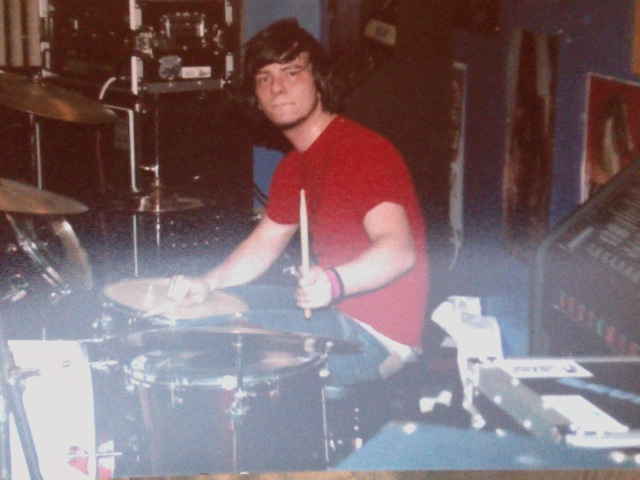 I’m also passionate about drumming and music in general, though I no longer play in a band. I have been a part of two pop punk/post punk/indie/whatever you want to call them bands; Squirt and Life or Lack Thereof. I loved every minute of both of them. I also enjoy surfing, though I don’t get to do it as much as I’d like.